
Is Nothing OS 5 Coming to Nothing Phone 2a? Release Date & Update Status
Nothing OS 5.0 is coming to the Nothing Phone (2a), with the official stable-release window scheduled for mid-November 2026. Nothing’s published roadmap also lists the Phone (2a) Open Beta for mid-October 2026. However, beta availability does not mean the stable update is already available to every user. The rollout will take place in phases, and timing may vary by region and carrier.
Built on Android 17, Nothing OS 5.0 introduces a refreshed interface, expanded personalization, performance improvements, and new Android features. Here’s everything Nothing Phone (2a) users need to know about the expected release date, new features, beta program, and how to check for the update.
Nothing Phone (2a) Nothing OS 5 Release Date
Nothing has published a rollout schedule for Nothing OS 5.0, confirming that the Nothing Phone (2a) is included in the update plan.
The current timeline is:
| Update stage | Expected timeline |
|---|---|
| Nothing OS 5.0 Open Beta | Mid-October 2026 |
| Stable Nothing OS 5.0 release | Mid-November 2026 |
| Wider availability | Phased rollout; timing may vary |
These dates are indicative rather than guaranteed deadlines. Nothing may adjust the schedule as software testing, device compatibility checks, and regional rollout preparations continue.
Is Nothing OS 5 Already Available for Nothing Phone (2a)?
As of October 15, 2026, Nothing’s published schedule places the Phone (2a) Open Beta in mid-October and the stable release in mid-November. The official schedule alone does not confirm that the update has reached every eligible device.
If you want to try the beta, check the official Nothing OS 5.0 page and confirm that your device and current software build are eligible. If you prefer a more reliable everyday experience, waiting for the stable release is the safer choice.
Why Might Some Users Receive the Update Earlier?
Major Android updates are commonly distributed in stages. Availability can depend on the device’s software build, regional requirements, carrier arrangements, and the progress of the rollout.
Consequently, two Nothing Phone (2a) owners may not receive the update on the same day. A missing update notification does not necessarily mean that a device is ineligible.
Is Nothing Phone (2a) Eligible for Nothing OS 5?
Yes. Nothing’s official rollout schedule includes the Nothing Phone (2a) and the Nothing Phone (2a) Plus.
The update is based on Android 17 and brings Nothing’s own interface changes and software features alongside Android platform improvements. However, eligibility for the operating-system update does not guarantee that every advertised feature will be available on every device.
Feature availability can depend on hardware capabilities, software versions, and whether a feature is included in the beta or stable build.
Will Nothing Phone (2a) Plus Receive Nothing OS 5 Too?
Yes. The Phone (2a) Plus is also listed in Nothing’s official rollout schedule, with an expected Open Beta window in mid-October 2026 and a general-release target of mid-November 2026.
The two devices share a planned rollout window, but this does not guarantee simultaneous availability in every region.
What Is New in Nothing OS 5.0?
Nothing OS 5.0 is based on Android 17 and focuses on personalization, a cleaner interface, smoother performance, and new ways to interact with the phone.
1. A Refreshed Home Screen
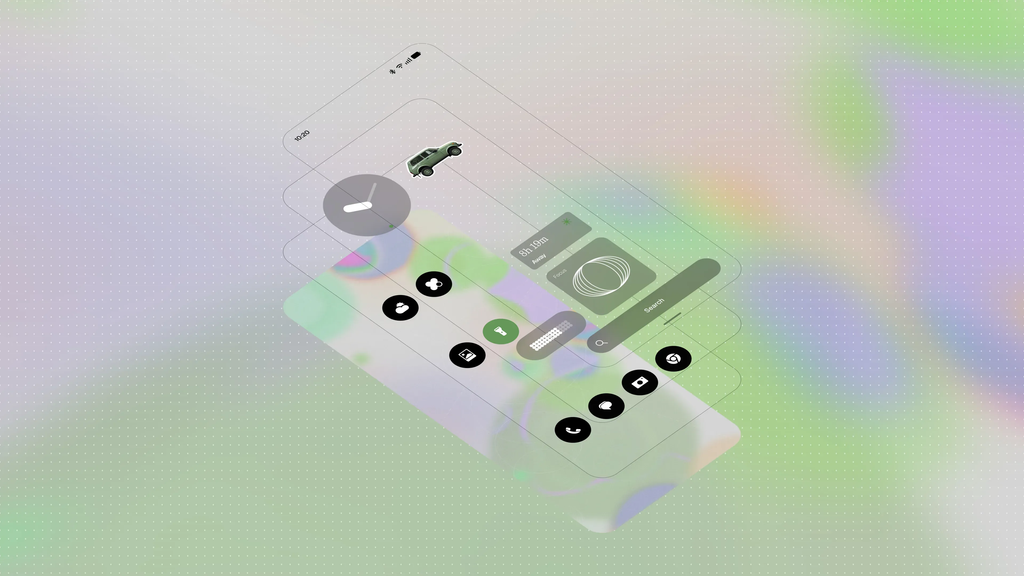
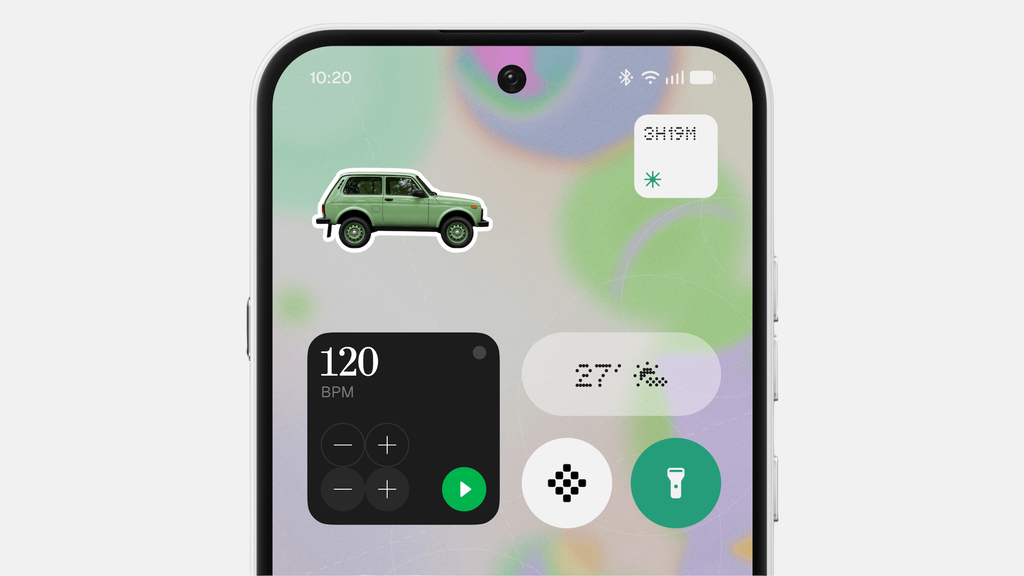
Nothing OS 5.0 introduces wallpaper-aware colors, tinted app icons, and transparent widgets to provide a more cohesive home-screen appearance.
The redesigned experience aims to make the interface feel more personal without abandoning Nothing’s recognizable visual style.
Important: Nothing says the refreshed home screen will arrive with the general release rather than the initial Open Beta. Beta users should not assume that every final-release feature will be included in the first beta build.
2. New Clock Faces and Personalization Options
Nothing OS 5.0 introduces new clock-face designs, including Gooey and Micrographics.
Micrographics emphasizes compact, information-focused visuals, while Gooey offers a more expressive appearance. Additional customization options help users adapt the interface to their preferences.
The availability of these changes on the Phone (2a) will depend on the relevant software release.
3. A More Consistent Interface
The update introduces the Geist typeface, refreshed icons, refined layouts, and smoother animations across parts of the system, including Settings, Camera, Gallery, and the status bar.
These changes aim to create a more consistent visual experience and improve how the interface responds during everyday use.
4. Improved Performance and Memory Management
Nothing OS 5.0 includes improvements intended to make app launches, scrolling, touch response, and multitasking feel smoother.
Updated memory management is designed to reduce unnecessary app reloads and help the system manage background activity more efficiently.
Actual performance and battery results may vary depending on installed applications, usage patterns, and the final software build.
Read more about: WhatsApp Restricted Chats Android Beta
5. Glyph Interface Improvements
Nothing OS 5.0 introduces a dedicated Glyph app that brings Glyph settings together in one place. It also includes a Glyph Timer that lets users start countdowns directly from the home screen.
The exact controls available on the Phone (2a) will depend on its hardware and the features supported by the device’s software.
6. Collector and Essential AI Features
The Collector feature allows users to turn favorite photos into stickers for their home screens and build collections of people, places, and things that inspire them.
Nothing is also developing and expanding its Essential AI tools. Some capabilities are in early beta, have limited access, or are being delivered separately through app updates.
Do not assume that all AI features will be available immediately after installing Nothing OS 5.0.
7. Android 17 Features
Because Nothing OS 5.0 is based on Android 17, it includes several platform-level improvements.
Notable changes include:
- Separate Notifications and Quick Settings: Access these controls in separate spaces.
- Quick Share improvements: Share files with nearby Android devices or use a QR code to enable downloads on an iPhone or another compatible device through a secure web link.
- Enhanced privacy controls: Improved indicators and permission controls help users understand when apps access sensitive features such as the camera, microphone, or location.
- Additional system refinements: Changes to screen recording, Dark Theme, the Recents screen, and other Android functions.
The precise feature set on the Nothing Phone (2a) should be confirmed against the final device-specific release notes.
How to Check for Nothing OS 5 on Nothing Phone (2a)
Once the stable update is available for your device, you can check for it through the phone’s system settings.
Method 1: Check for the Stable OTA Update
- Connect your Nothing Phone (2a) to a reliable Wi-Fi network.
- Open Settings.
- Select System.
- Open System updates.
- Check for available updates and follow the on-screen instructions if Nothing OS 5.0 appears.
Before installing, ensure that the phone has sufficient battery power and available storage. Back up important data as a precaution.
Method 2: Join the Nothing OS 5.0 Open Beta
If the beta program is open for your device, you can use Nothing’s official beta process.
- Update your phone to the latest eligible stable software build.
- Obtain the current Nothing Beta Hub APK from Nothing’s official website.
- Install the latest supported Beta Hub version.
- Open Settings → System → Nothing Beta Hub.
- Tap Check Version.
- If your device is eligible and enrollment is open, select Join Beta.
- Follow the instructions to access the update when it becomes available.
Nothing’s published instructions identify the Phone (2a) stable build Pacman-B4.1-260813-0941 or later as the required starting build for the beta. Check the official instructions for the latest requirements before proceeding.
Beta enrollment may be limited to a specific access window. If the option is unavailable, it may not mean that your phone is defective or permanently excluded.
What Should You Do If Nothing OS 5 Does Not Appear?
If the update is missing, try these steps:
- Check whether the official rollout window has begun for your device.
- Install any pending stable software updates.
- Confirm that your phone is running a supported software build.
- Restart the phone and check for updates again.
- Wait for the next rollout phase if the update has not reached your region.
- Consult Nothing’s official software-update announcements for revised timelines.
Avoid installing firmware packages from unverified websites. Incorrect software can cause installation problems or data loss.
Read more news here: Gizmochina — Nothing OS 5.0 update tracker
Should You Install the Nothing OS 5.0 Beta?
Whether you should install the beta depends on how you use your phone and how comfortable you are with prerelease software.
| Consideration | Open Beta | Stable release |
|---|---|---|
| Early access to new features | Yes, where available | After general release |
| Risk of bugs | Higher | Generally lower |
| Recommended for essential everyday use | Only if you accept the risks | Better choice for most users |
| Data backup | Strongly recommended | Recommended |
| Final feature availability | Some features may be missing | More complete intended experience |
Reasons to Try the Beta
The beta may appeal to users who want early access to new features and are willing to report problems to Nothing. It also provides an opportunity to experience changes before the wider rollout.
Reasons to Wait for the Stable Release
Beta software can contain bugs, affect battery life, cause temporary heating, or introduce application compatibility problems.
Nothing also warns that returning to a stable version through its rollback process erases data. Back up important information before joining the beta or attempting a rollback.
Recommendation: If your Nothing Phone (2a) is your primary phone for work, banking, communication, or other essential tasks, waiting for the stable Nothing OS 5.0 release is generally the more practical option.
Frequently Asked Questions About Nothing OS 5 for Nothing Phone (2a)
Is Nothing OS 5 coming to Nothing Phone (2a)?
Yes. Nothing’s official rollout schedule includes the Nothing Phone (2a), with an Open Beta target of mid-October 2026 and a stable-release target of mid-November 2026.
When will Nothing Phone (2a) receive the stable Nothing OS 5 update?
The current target is mid-November 2026. Actual availability may differ by region and rollout phase, and Nothing may revise its schedule.
Is Nothing OS 5 based on Android 17?
Yes. Nothing OS 5.0 is based on Android 17 and combines Android platform improvements with Nothing’s own interface and software features.
How can I download Nothing OS 5 on my Nothing Phone (2a)?
For the stable version, open Settings, select System, and then System updates. If the update is available for your device, follow the installation instructions. Beta installation requires eligibility and the official Nothing Beta Hub process.
Is the Nothing OS 5 beta safe to install?
The beta is an official prerelease program, but it may contain bugs and affect battery life, performance, or stability. Back up your data first and avoid installing it if you cannot tolerate potential software issues.
Why has my Nothing Phone (2a) not received Nothing OS 5 yet?
The update may not have reached your device’s rollout phase, region, or supported software configuration. Check the official rollout schedule, install pending stable updates, and try again later.
Will Nothing OS 5 improve battery life on the Phone (2a)?
Nothing OS 5.0 includes performance and memory-management improvements, but these do not guarantee longer battery life for every user. Battery results depend on software behavior, applications, network conditions, and individual usage.
Will every Nothing OS 5 feature be available on the Phone (2a)?
Not necessarily. Some features may depend on hardware, arrive in a later release, or be distributed separately through app updates. Check the final release notes for device-specific confirmation.
Final Verdict: Should Nothing Phone (2a) Users Wait for Nothing OS 5?
Yes, Nothing Phone (2a) owners should prepare for Nothing OS 5.0, but they should distinguish the planned rollout from actual availability.
Nothing’s current schedule targets mid-October 2026 for the Open Beta and mid-November 2026 for the stable release. The Android 17-based update brings a refreshed interface, personalization features, performance refinements, and new system capabilities.
For most users, the best next step is to keep the phone updated, monitor Nothing’s official announcements, and install the stable OTA when it becomes available. Users who enjoy testing prerelease software can consider the beta, provided they understand the risks and back up their data.
Bottom line: Nothing OS 5.0 is planned for the Nothing Phone (2a). Mid-November 2026 is the current stable-release target, not a guarantee that every phone will receive the update on the same day.
